AI is too good at building me my own personal apps
12/27/2025
It’s amazing, it’s crazy, it’s insane…but it’s also very concerning.
Being the little nerd I am, it might be a surprise to you that I am actually an avid gym-goer. I’ve been consistently going to the gym for the past 4 years - which is crazy when I think about it. During these 4 years, my philosophy in the way I train has constantly evolved:
- When I started going in 2021, I was a fat slob. My main goal was to lose weight. So I would go in, lift some weights for about 40 minutes and end with 20 minutes of intense cardio.
- Before I knew it (after about 8 months), I was a slim king! I decided to lay off the cardio and focus on actually lifting weights properly. I started taking care of my form and started looking at doing exercises that would target specific muscles that I wanted to develop. But I was still very much just going through the motions, doing 12 reps of 4 sets, with zero regard to the amount of effort I was actually putting in.
- After about a year and a half of this, my body looked almost the same. Something had to change - but nothing did. Simply because I didn’t do anything to change it. I was content with how I looked and just used the gym as a way to stay fit.
- It wasn’t until a few months ago, I came across science-based lifter Jeff Nippard where my gym philosophy once again changed. Despite being in the gym for over 3 years, my physique was not impressive at all. I needed more muscle and for that I needed to progressively overload…
Okay this isn’t supposed to be a gym blog at all, I promise I’ll get to the AI stuff, just stick with me for a tad bit longer while I explain what progressive overload is:
Progressive overload is a core fitness principle where you gradually increase the stress on your muscles over time (by lifting heavier weights, doing more reps/sets, or increasing intensity) to force continuous adaptation, strength gains, and muscle growth, preventing plateaus by constantly challenging your body.
This was a response from AI - but I think it does a pretty good job at capturing the idea of progressive overload.
The idea is that when you go to the gym, you should constantly increase the amount of effort you put into your workout. So you should be incrementally increasing the difficulty of your workout - even if it's a small change like just an extra rep.
Nice idea right?
It gives you a goal in the gym, it makes sure you’re consistent, it makes sure you’re getting stronger each week.
But it means tracking absolutely everything you do in the gym - NOT FUN.
Especially when this is how you were keeping track of your progress:
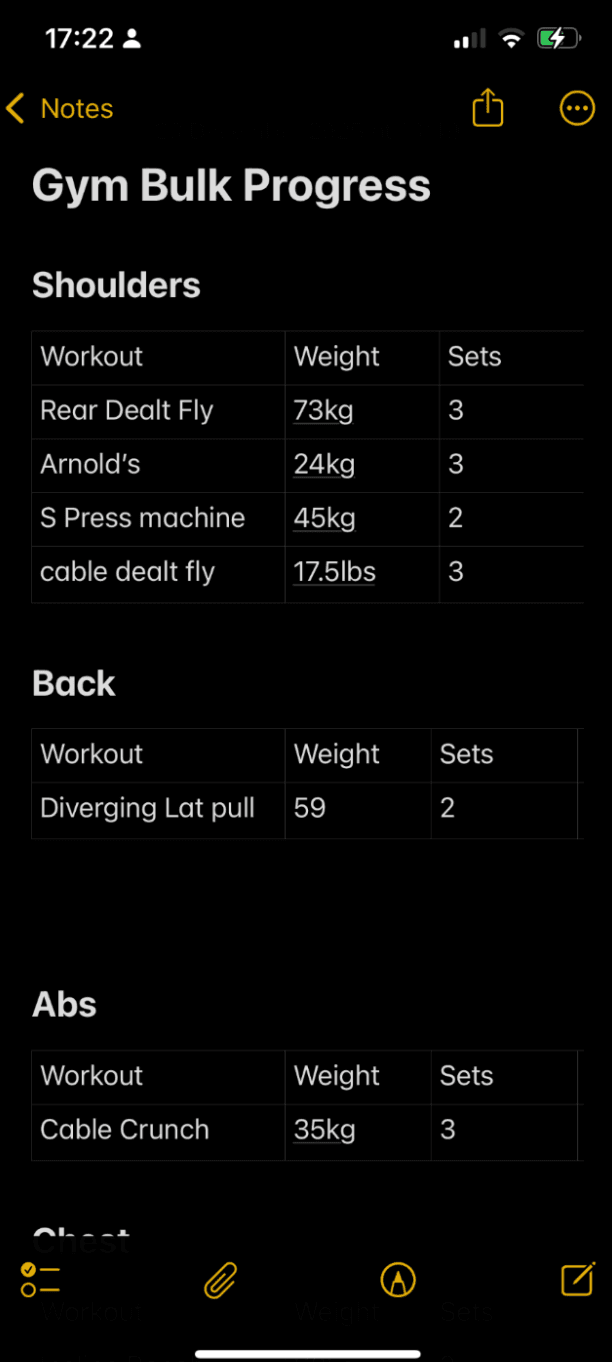
Going into my notes and scrolling around tables was not fun. It was annoying…and inconvenient.
When I go to the gym, I just want to lift heavy weights.
Tracking a bunch of numbers isn’t something I ideally want to do - but it’s a necessary evil to progressively overload.
If I already don’t want to do something, and then doing it causes further inconvenience, it’s very unlikely that I will do it in the long term. I had to find a better way to keep track of my workouts.
So I went on to the app store. But most fitness apps had a bunch of features I did not want, required paid subscriptions or simply did not have every feature I needed.
All I wanted was an app where I could:
- Create a group of workouts
- For each workouts have a set of exercises
- The ability to log each workout and the amount of reps/weight I did for each exercise
- Get a visualisation of my progress for different exercises/workouts
Then it struck me, I’m a Software Developer!
I can just make an app for myself EXACTLY with what I need.
It also struck me that I am a Cursor Pro subscriber. If you don’t know what that is - it’s a code editor with an integrated AI interface to help with the development of software.
I knew AI could help me code the app, but I did not realise how good it would be at doing so. Within a few days, an app that would have taken maybe a few weeks to make without AI, was ready at my disposal.
Here is how I built it from absolute scratch.
Step 1 - Defining what the app should do:
If you’ve read a book or articles about app development, you’ll notice that many of them mention that you need to start off with a document that details what the app should do.
If this was to be a production app that I expected to have a customer base for, I’d pay attention to the frameworks and details required for such a documentation. But because it’s just a personal app, I made a simple Google Doc with:
- A summary of what the app should do
- The main features I want the app to have
Here is the exact document:
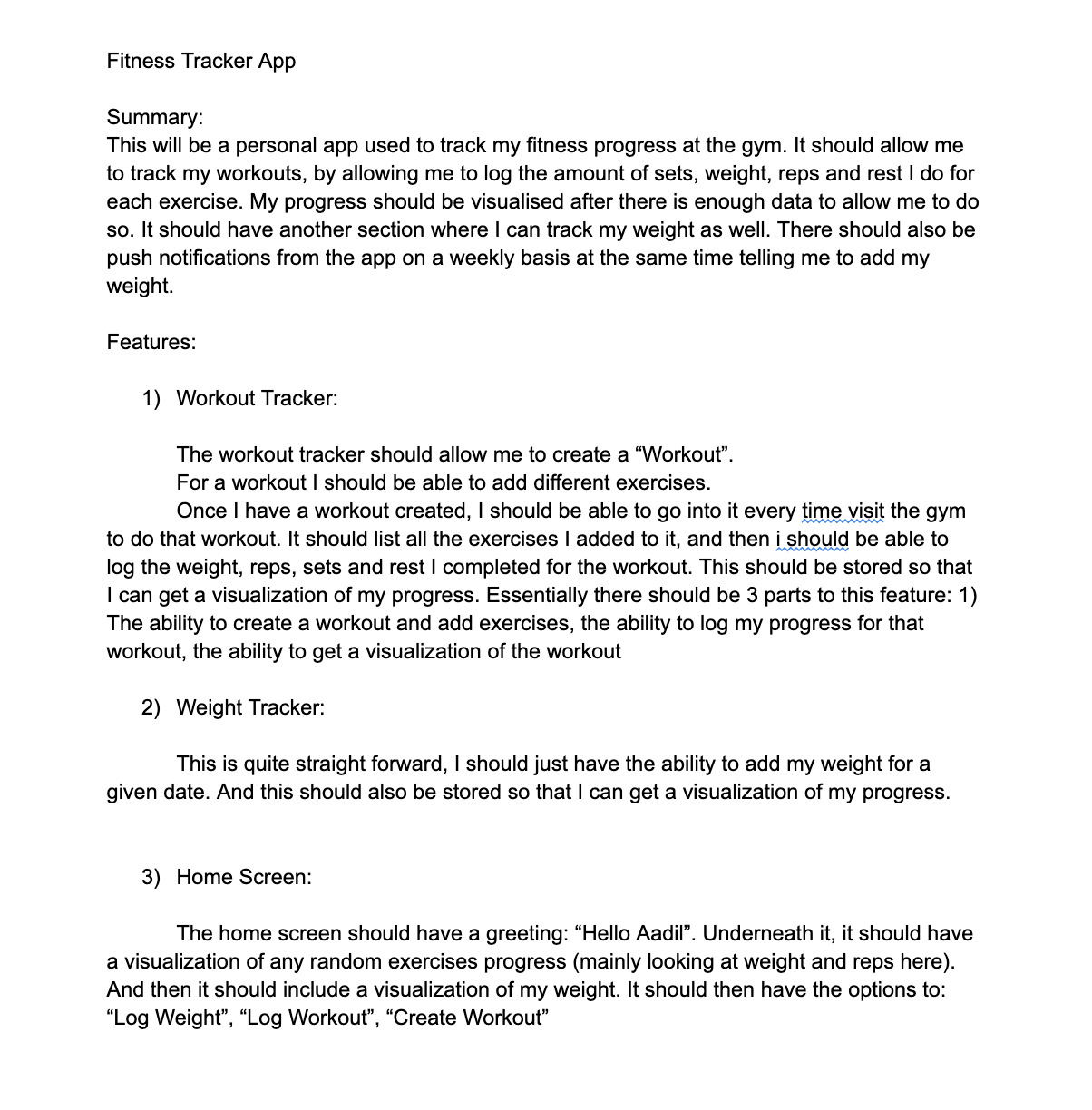
Something as simple as this is all you need.
Step 2 - Asking ChatGPT for a plan
If I were to just paste this into Cursor and ask it to code it for me - it would be a disaster. It’s too much context and information for the AI to handle well. The best way to use AI to build an application is to make it build the app incrementally.
So, I simply gave my project summary to ChatGPT and asked it to create a roadmap of phases for which I can tackle the development of the app:
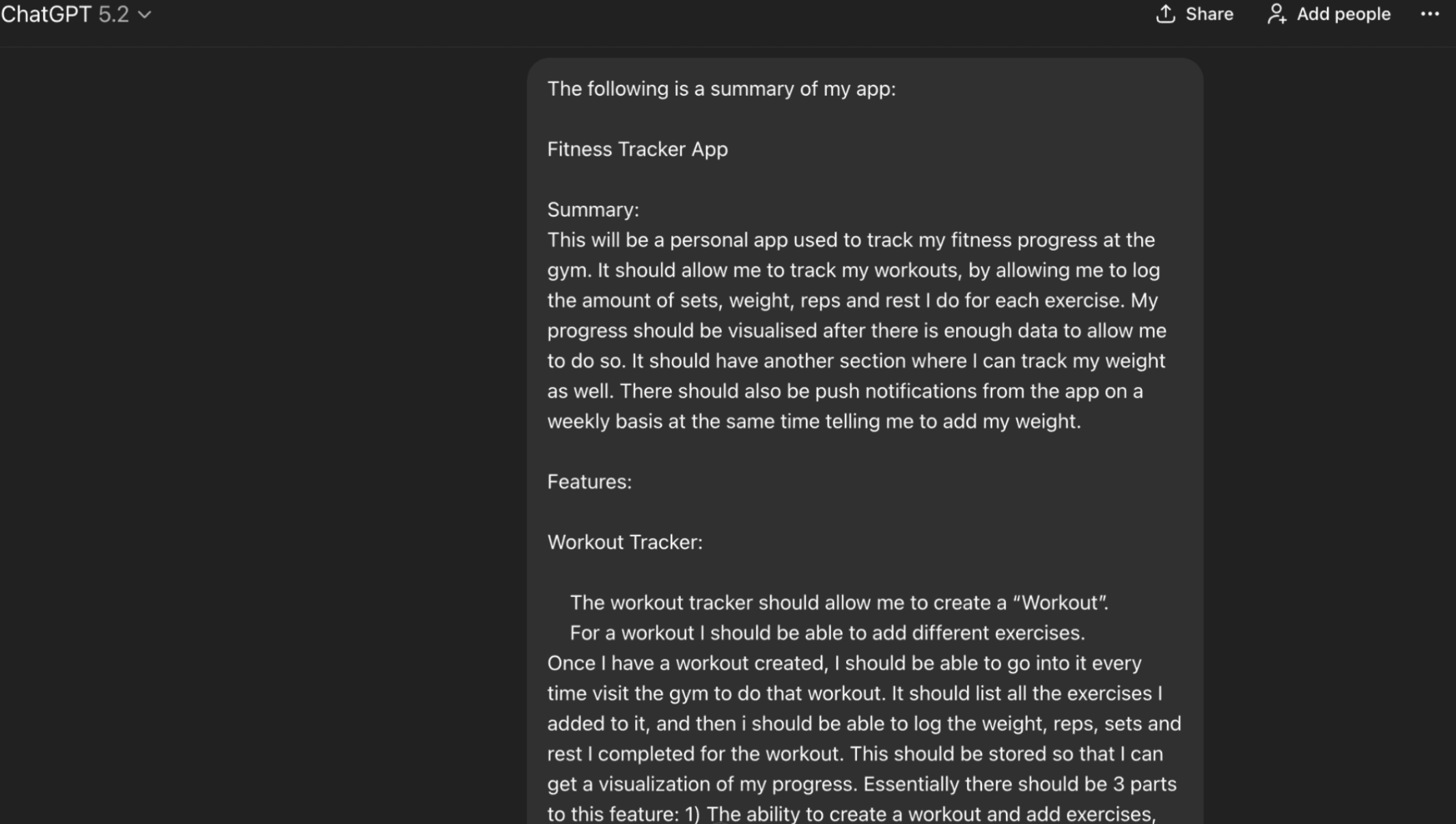
I gave it my summary and then provided it with the following prompt after:
Give me a step by step plan for how I should tackle the development of this app.
ChatGPT then responded with a list of 7 phases, here is a snippet of its response:
Here’s a solid, low-regret step-by-step plan that gets you to a usable v1 quickly, while keeping the foundations good enough for charts + reminders later.
Phase 0 — Foundations (1–2 sessions)
Lock the stack
React Native CLI
TypeScript
Navigation: @react-navigation/native (stack + bottom tabs)
Local database: SQLite (via react-native-sqlite-storage) or WatermelonDB (more work, very scalable)
For a personal tracker: SQLite is plenty.
Project hygiene
Add ESLint + Prettier
Decide folder structure early:
src/screens, src/components, src/db, src/services, src/types, src/utils
Step 3 - Use ChatGPT to produce prompts to give Cursor
I would then provide ChatGPT with each Phase description, and asked it to give me a prompt to give Cursor so that it could code it:
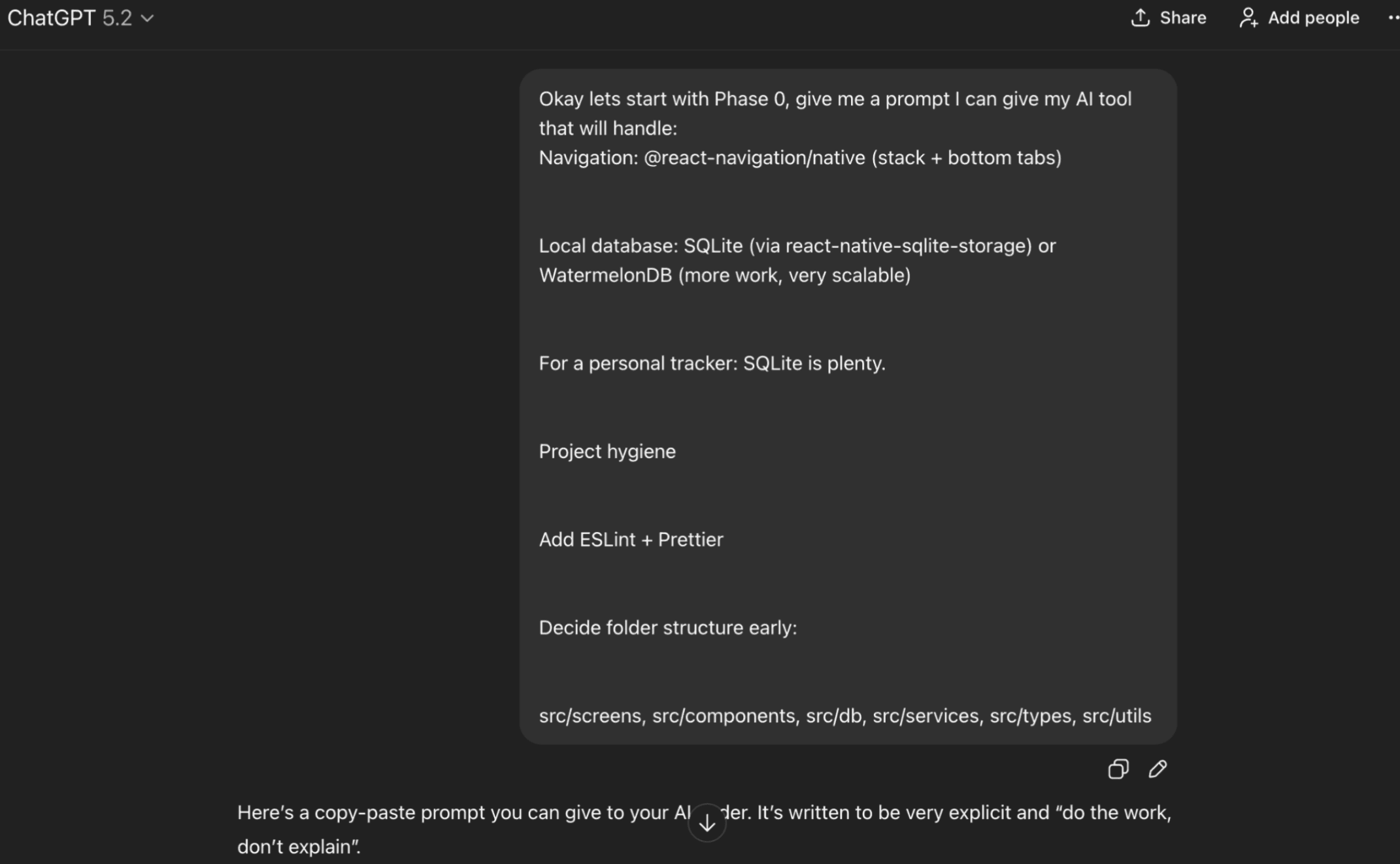
The exact format for each of these prompts were:
Give me a prompt I can give my AI tool that will handle: [PHASE DESCRIPTION]
This would then warrant the following type of response from ChatGPT:
You are my React Native CLI project setup assistant.
Project context:
- React Native CLI app (TypeScript) already initializes and runs on iOS.
- Goal: set up Phase 0 foundations for a personal fitness tracker app.
TASKS (do all of the following):
1) Navigation setup
- Install and configure React Navigation:
- @react-navigation/native
- Bottom tabs: @react-navigation/bottom-tabs
- Native stack: @react-navigation/native-stack
- Install required dependencies for iOS:
….
5) Deliverables
- Make all code changes in the repo (show diffs or list files changed).
- Provide exact terminal commands I should run after your changes:
- install deps
- pod install (if needed)
- run iOS
- Ensure the app launches to the tab navigator and all three screens load.
- Ensure db init runs on startup and prints a console log confirming success.
Constraints:
- Use functional components only.
- Keep code minimal and clean (no extra libraries beyond what’s needed).
- TypeScript strict-friendly code (avoid anywhere possible).
- Do not implement any workout features yet; placeholders only.
(This is a shorter format of the actual response from ChatGPT)
I would then simply paste this prompt into Cursor (configured to use Opus 4.5) and let it do it’s magic:
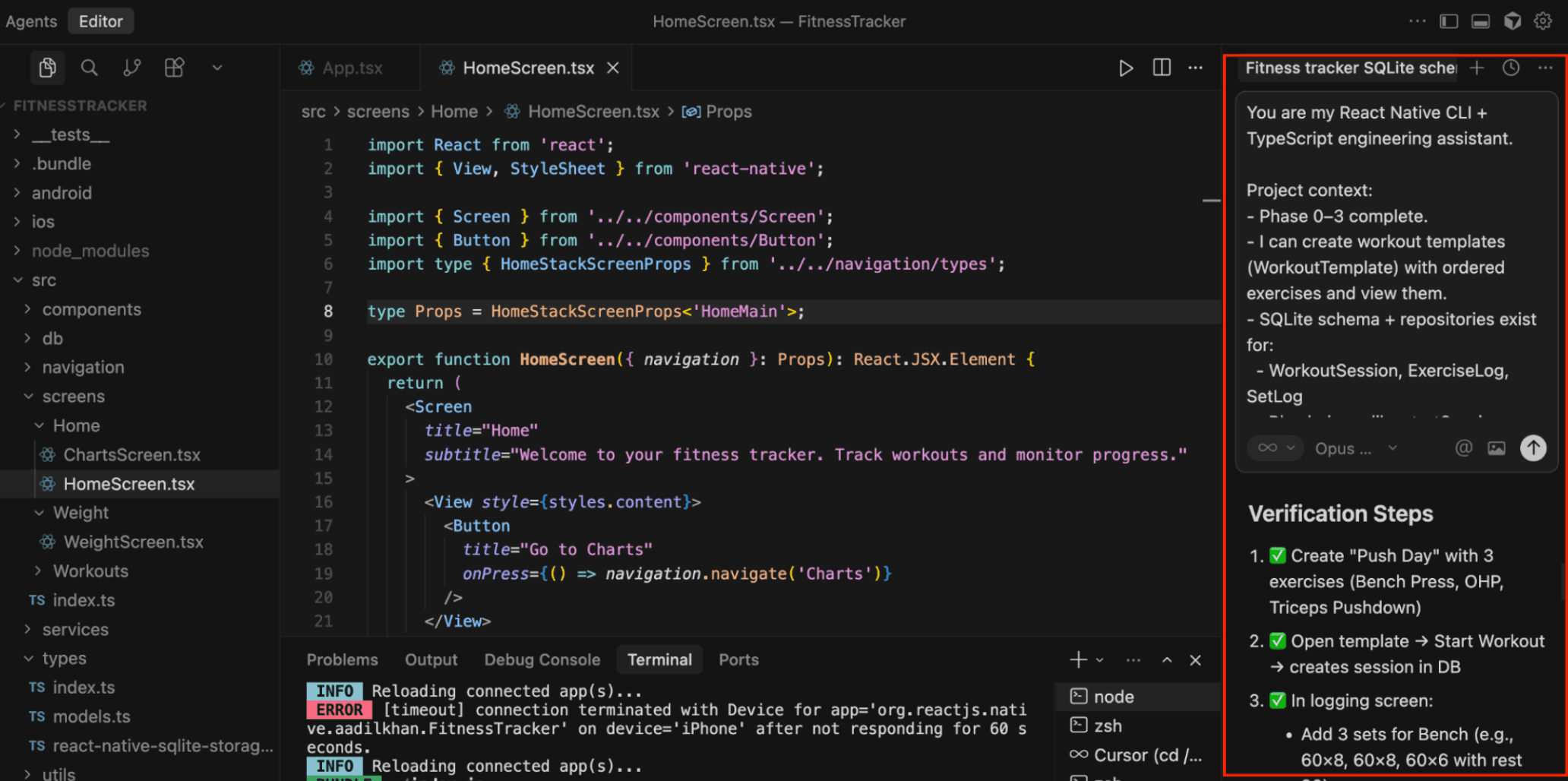
I simply repeated this for each Phase and before you know it (literally a few hours in total), I had the exact app I wanted.
The final app
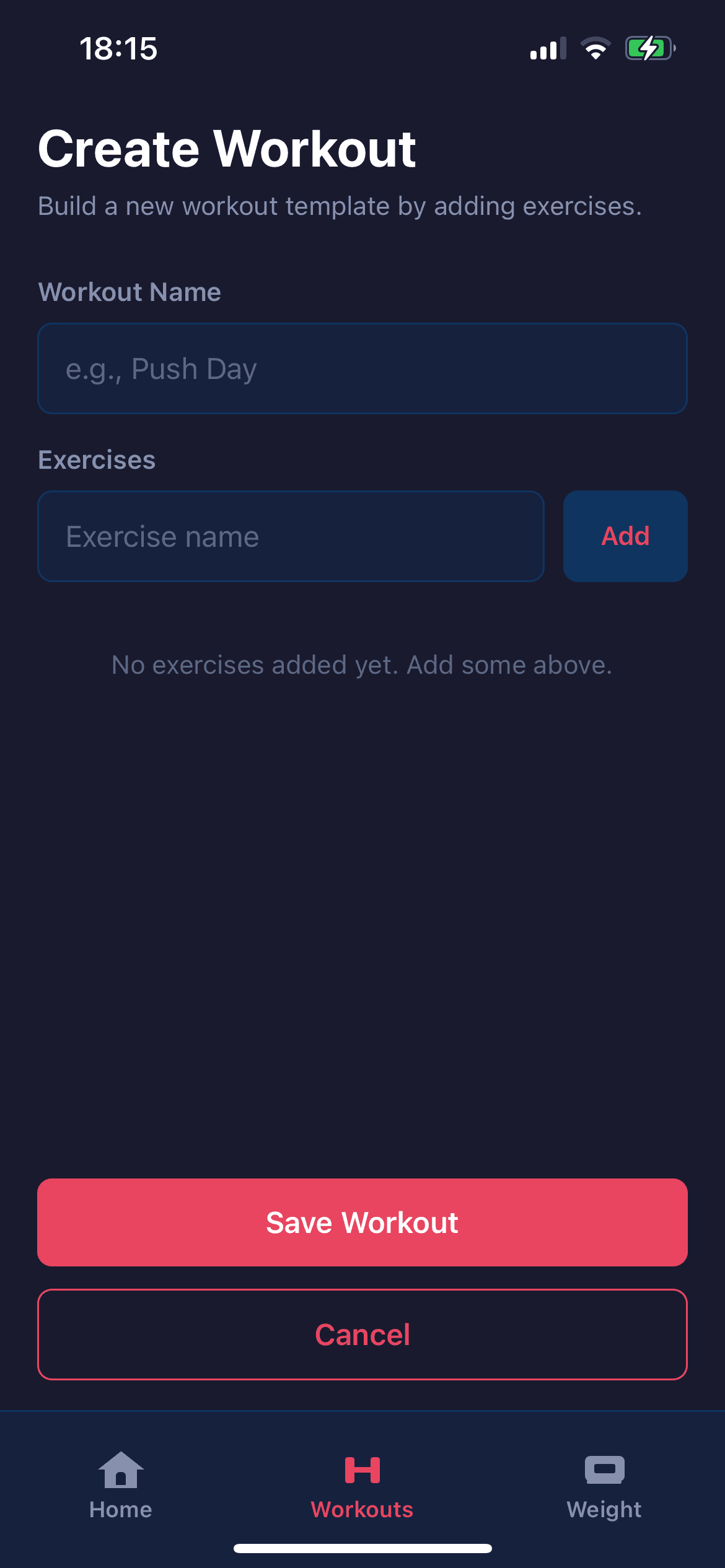
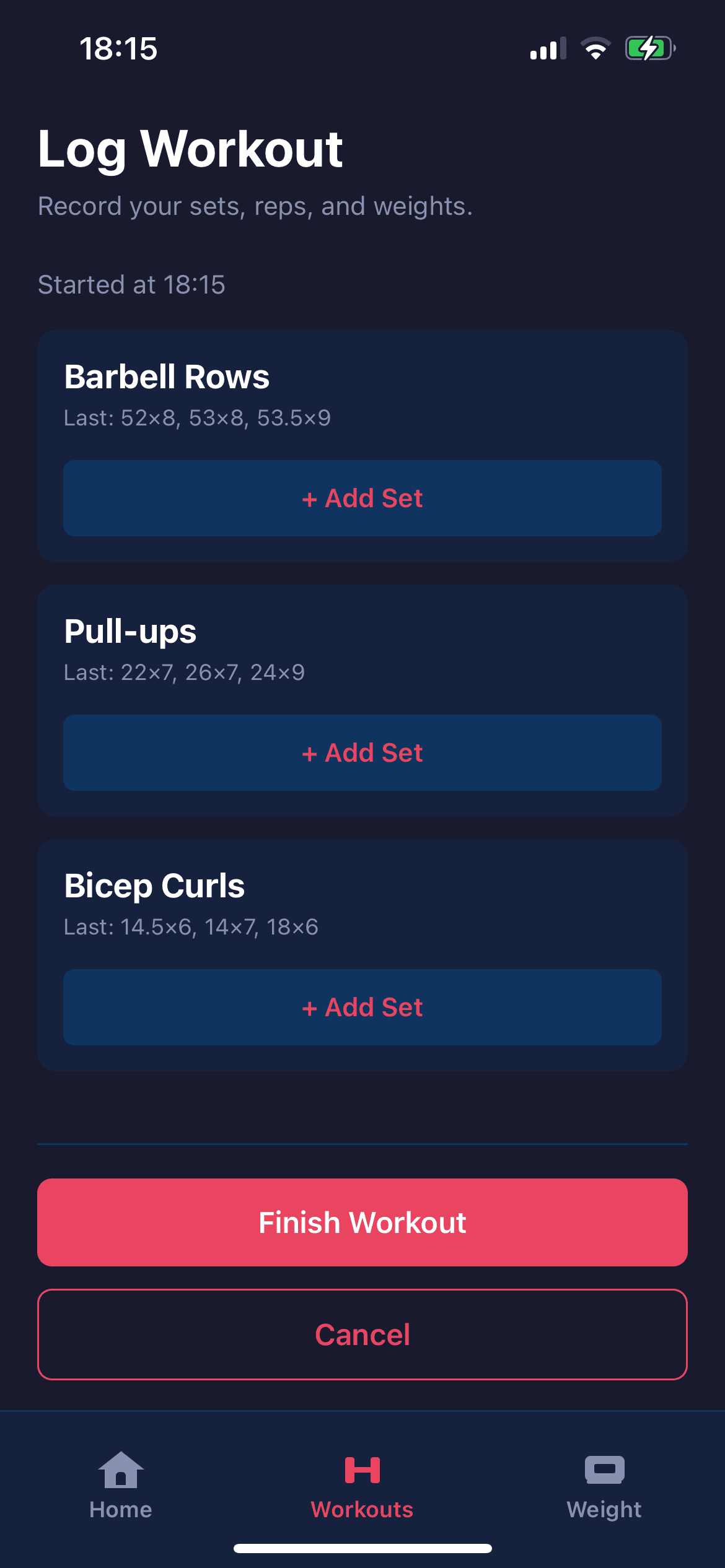
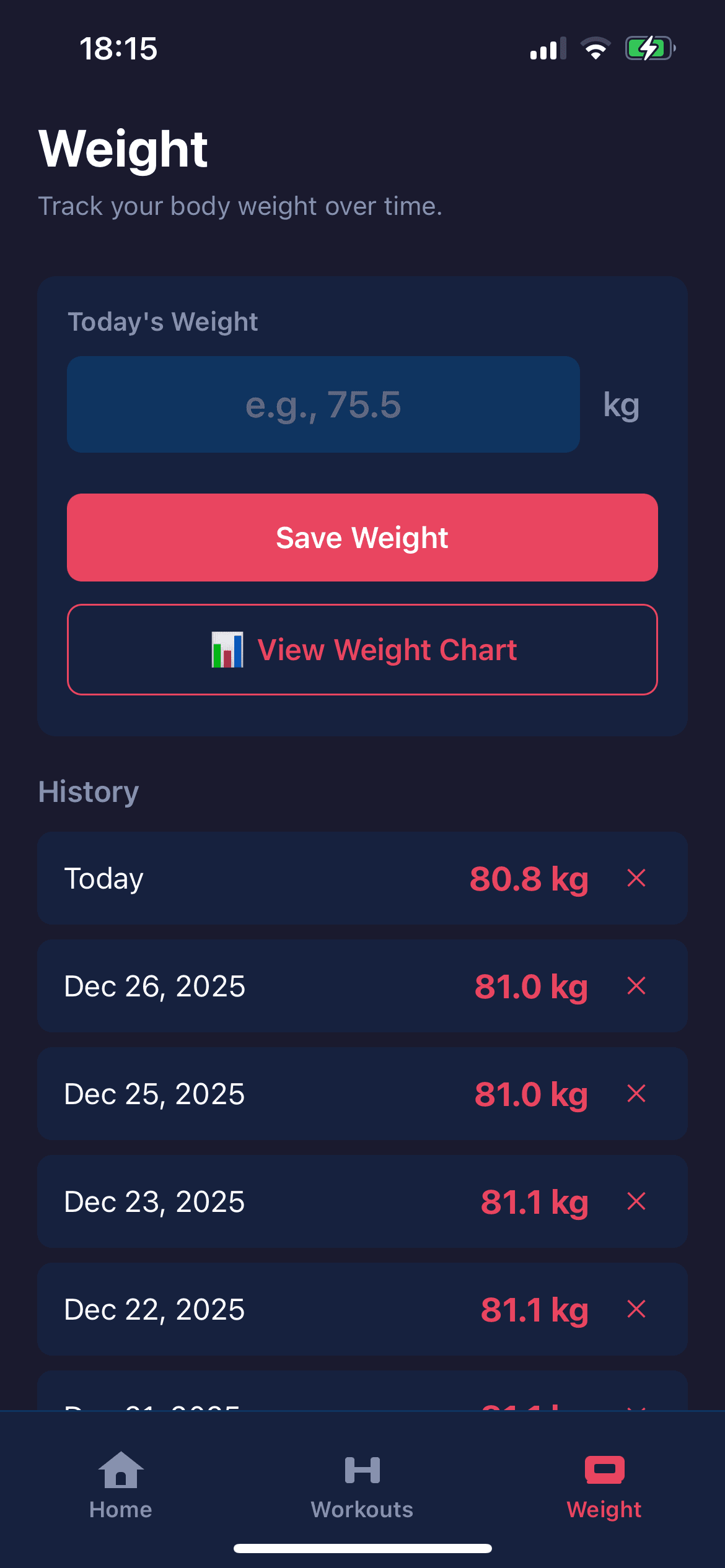
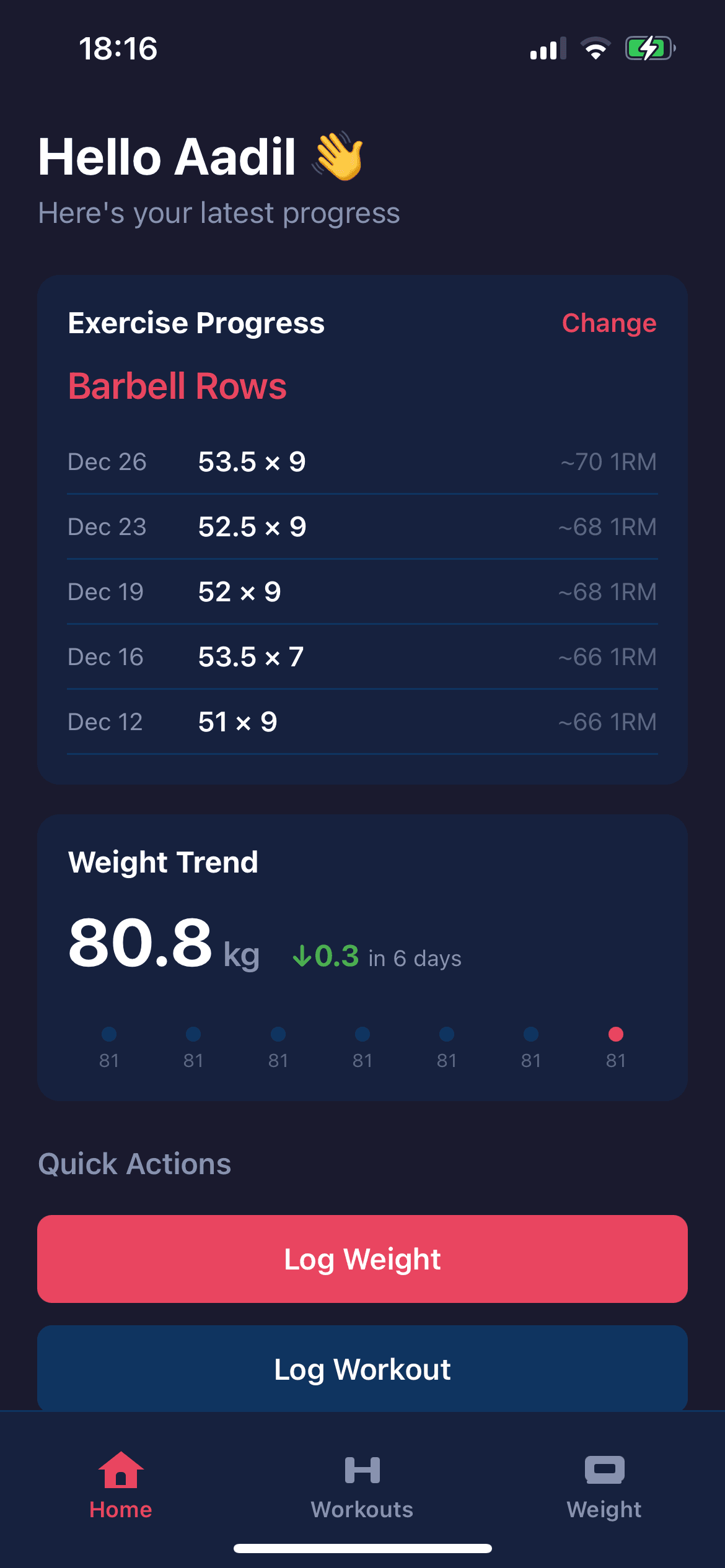
Just for your own interest, here is the app - again for personal use hence the mediocre UI and minimal features.
Create Workouts:
Log Workouts:
Log Weight:
Visualizations of Progress:
Conclusion
What is the takeaway here?
The takeaway is that we are no longer restricted to the availability of apps on the marketplace. If we want an app that does something very specific that can help up in our day, we can now very easily build it with the help of AI tools.
I’d still argue that you would need some software development experience to be able to do this efficiently. However, with the rate these models are improving and the rise of “AI Agents”, it’s hard to argue that eventually that software expertise will no longer be required.
Which is precisely why I stated in the start of this blog that despite AI being amazing, “it’s also very concerning”.
I’m talking from the perspective of a Software Developer, but many other jobs will also relate. It seems undoubtable that AI will eventually (maybe even within the next 3 years) get intelligent enough to work with minimal supervision of an expert. Why would companies need their software teams of 5,10,15 people if a single AI agent can do everything?
The best we can do right now is just enjoy it for the productivity boosts it’s providing us right now but I do think many developers should start looking at how they can leverage their skills to avoid being replaced by AI.